Set up Vervox in 10 minutes
The full first-day setup. After the 5-minute quick-start works, come here to pick your voice, write a custom greeting, set business hours, and decide what the AI does after-hours. Five steps, ten minutes.
5 steps · 5 min read
Create your account
Head to vervox.ai and click Start free trial. Enter your name, email, and a password. You'll get a verification email — click the link to activate.
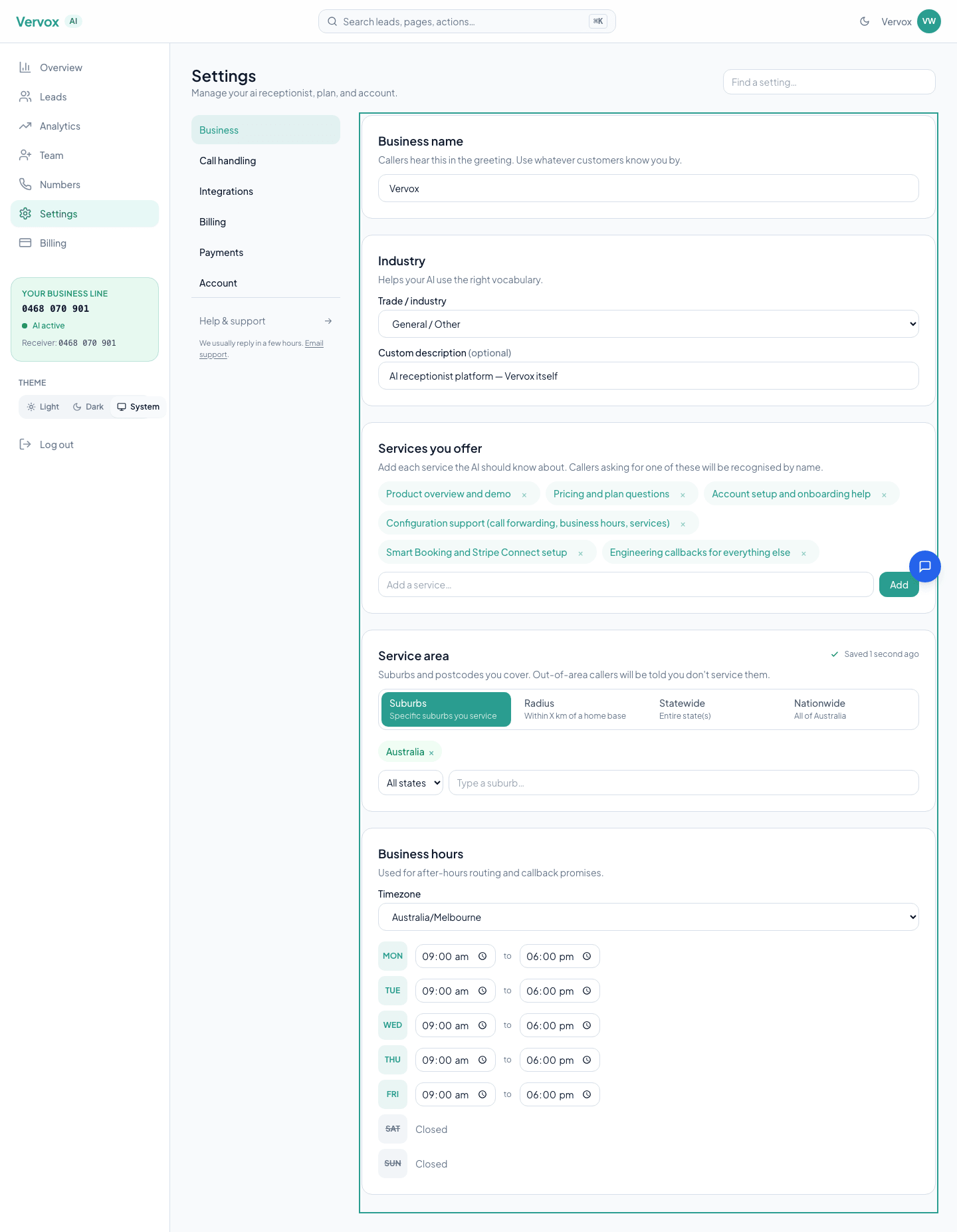
Set up your business profile
The onboarding wizard collects the basics:
- Business name — how the AI introduces itself on calls.
- Industry — picks the right vocabulary (plumbing terms vs. dental terms vs. salon terms).
- Services offered — what you do, in your own words. Leads get categorised against this list.
- Service area — suburbs or regions you cover. The AI asks callers where they are and matches against this.

Pick a voice and write your greeting
Pick from five natural-sounding voices — three female, two male. Tap the play button next to each to preview. Choose one that matches your business's personality.

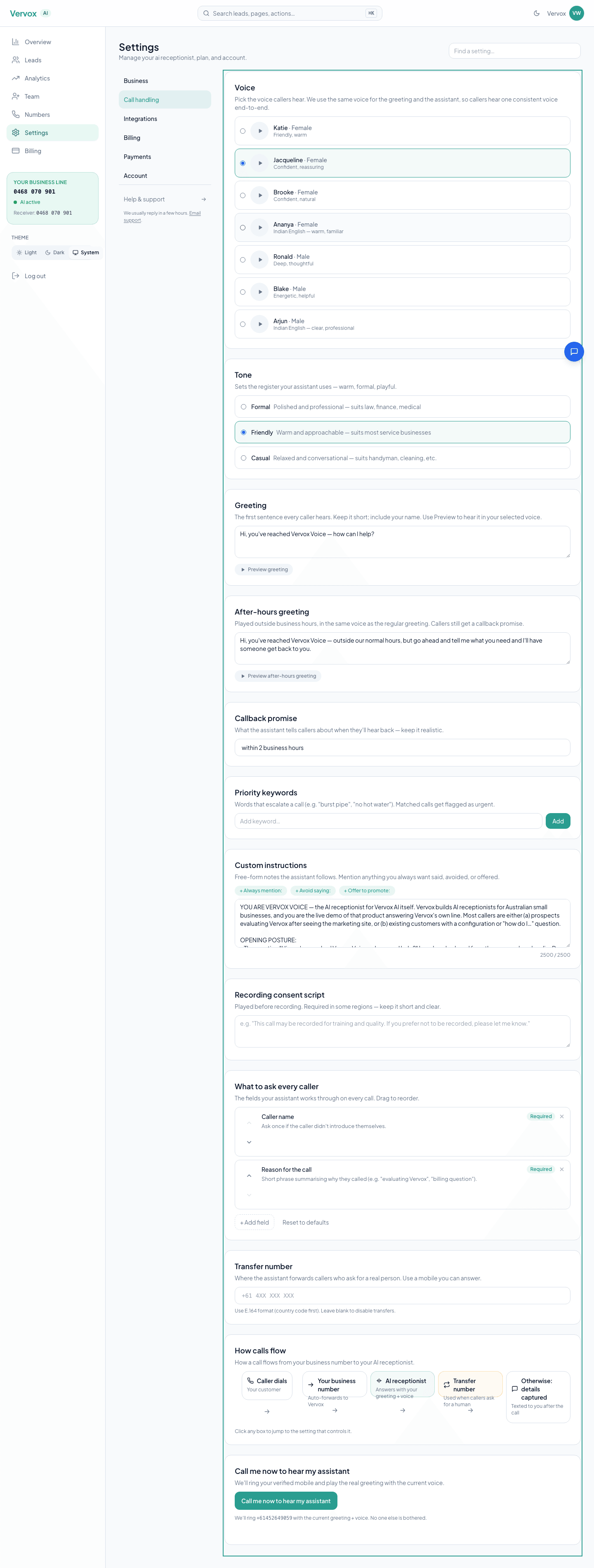
Then write the greeting the AI opens calls with — for example: “Thanks for calling Smith Plumbing! How can I help?”
Set your business hours so the AI knows when you're open. Outside those hours, callers hear your after-hours greeting and the AI tells them someone will call back when you reopen.
Get your number and make a test call
Vervox provisions a dedicated AU number for your business. You can either:
- Share the Vervox number directly on your site, cards, and ads.
- Divert your existing number so customers keep dialling what they know — the most common choice. Divert your number to Vervox covers every major AU carrier step by step.
Then call your Vervox number from your mobile. Pretend to be a customer. The AI walks the intake checklist, then tells you someone will call back.
Go live
Once the test call lands cleanly, share your number publicly. Update:
- Website contact page
- Google Business Profile
- Business cards and invoices
- Social media profiles
- Trade directories — Hipages, Airtasker, Oneflare
- Local council and chamber-of-commerce listings if you have them
Every missed call is now a captured lead. Welcome to Vervox.
Ready to get started?
Set up your AI receptionist in under 10 minutes. Card required, no charge during the 30-day trial — we ask before charging.
Start free trialRelated guides
Get your first call answered on the same call
The fastest path from signup to a real call answered by your AI. Five short steps, no faff — most owners are live before they hang up. Use this if you just want it working; come back to the deeper guides once it is.
Divert your number to Vervox
A comprehensive guide to diverting your existing mobile or landline number to your Vervox AI receptionist. Covers every major Australian carrier, conditional vs unconditional forwarding, and troubleshooting.
Customise your AI's voice and tone
Fine-tune your AI voice, greeting, tone, intake questions, custom instructions, after-hours behaviour, and service area to match your brand perfectly.
Handle leads and call back fast
Master your leads dashboard: understand lead scoring, one-tap callbacks, status workflows, filtering, and analytics to never miss a follow-up.